
What is dbt Fusion?
dbt Fusion is a complete rewrite of dbt’s execution engine in Rust. It’s not an upgrade to dbt Core, it’s a ground-up rebuild that changes how dbt works under the hood.
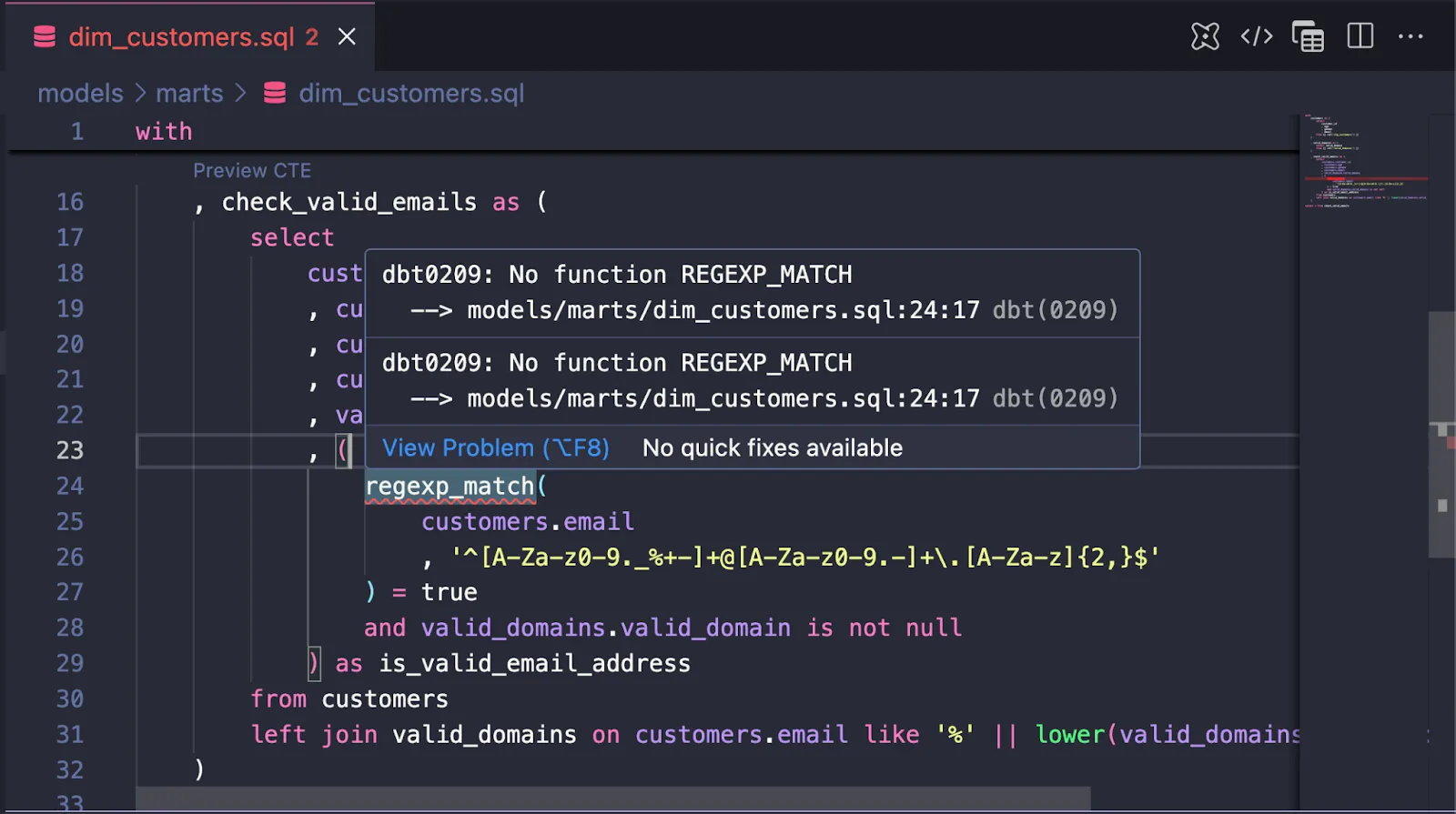
dbt Fusion brings real-time error detection, column-level lineage, 30x faster parsing, and up to 29% warehouse cost savings. The biggest change in dbt Fusion vs dbt Core is that Fusion actually understands your SQL instead of just templating it,catching type mismatches, missing columns, and invalid functions before they ever hit your warehouse.
The SDF acquisition made this happen fast
In January 2025, dbt Labs acquired SDF Labs, a startup competing with dbt. SDF was a transformation frame work that could compile your SQL before sending the SQL to the data warehouse. The SDF team brought serious compiler expertise: their CTO Wolfram Schulte spent 20 years at Microsoft Research building tools like the Z3 theorem prover.
Just 4.5 months after the acquisition, dbt Labs shipped Fusion in public beta (May 28, 2025). That’s remarkably fast for a complete engine rewrite.
Why Rust and Apache DataFusion matter
dbt Core was built in Python in 2016. Python’s fine for what it was designed for, but it has two problems for dbt:
- Parse times get brutal at scale - Projects with 10,000 models took minutes to parse
- Can’t understand SQL semantics - dbt Core treats SQL as text to template, not as code to comprehend
Rust (the language) gives you the performance - Fusion parses 30x faster and compiles 2x faster than dbt Core. But Apache DataFusion (the SQL query engine written in Rust) is what enables SQL comprehension. DataFusion understands column types, function signatures, and data lineage like a database would. That’s what makes Fusion fundamentally different from dbt Core’s text templating approach.
SQL comprehension is the big shift
This is what makes Fusion different. It doesn’t just template your SQL and pass it to the warehouse. It comprehends it.
Fusion operates in three layers:
- Parsing - Validates syntax using ANTLR grammars for each warehouse dialect
- Compiling - Binds metadata, resolves types, validates functions before execution
- Executing - Runs the validated SQL (though most of Fusion’s value is in layers 1-2)
This means Fusion catches errors before they hit your warehouse. Type mismatches, missing columns, invalid functions—all caught locally, instantly.
What you get today
Performance improvements:
- 30x faster parsing
- 2x faster compilation
- Projects that took minutes now parse in milliseconds
Cost savings:
- State-aware orchestration: only rebuild models when upstream data actually changed
- Average 10% reduction in warehouse compute costs automatically
- Up to 29% total savings with optimized configs
Better dev experience:
- VS Code extension with live error detection as you type
- Live CTE previews directly inside dbt models
- Go-to-definition for refs, sources, macros, and CTE names
- Hover insights showing column types and context without leaving code
- Autocomplete for models, columns, macros, and dialect-specific SQL functions
- Automatic refactoring: rename a column or model and all refs update project-wide
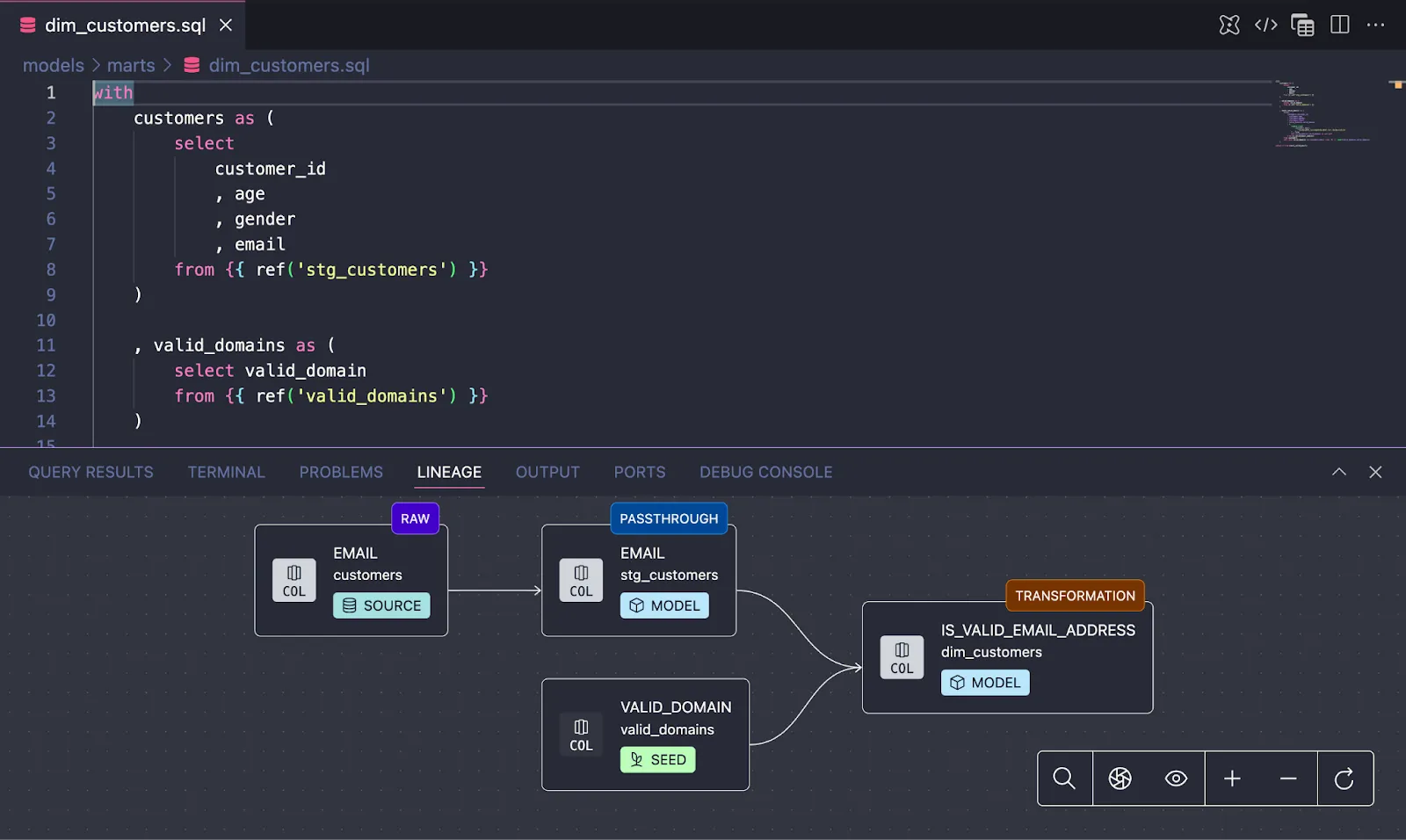
- Rich lineage visualization at column or table level as you develop
- Column-level lineage (not just model-level)
- Real-time impact analysis
dbt Fusion vs dbt Core
Fusion maintains the same authoring layer as dbt core. Your SQL, YAML, and Jinja don’t change. But underneath, it’s completely different:
dbt Core
- Validates at execution time
- Treats SQL as text
- Just-in-time rendering
- Model-level lineage
dbt Fusion
- Validates before execution
- Comprehends SQL semantics
- Ahead-of-time compilation
- Column-level lineage
The VS Code extension alone is worth it—live feedback while you code, not after you run it.
How much does dbt Fusion cost?
The engine itself is free. dbt Fusion is distributed under the Elastic License v2 (ELv2), which means you can use it locally or in your own infrastructure at no cost. If you’re running dbt Core today, you can switch to Fusion without paying anything.
The VS Code extension is also free for teams of 15 users or fewer.
What’s paid:
- State-aware orchestration (the feature that drives the cost savings) requires dbt Cloud
- Some advanced governance and enterprise features are dbt Cloud-only
- Teams larger than 15 need a dbt Platform license for the VS Code extension
The catch: You can’t use Fusion to build a competing managed service. That’s the main ELv2 restriction. For internal use, consulting, or building data products—no limitations.
Source: Understanding the new license for the dbt Fusion engine
Current status
Fusion is in public beta with about 2/3 of dbt Core’s features implemented. It’s free for local development and CLI usage. Available for Snowflake, Databricks, BigQuery, and Redshift.
If you’re running large dbt projects or paying significant warehouse costs, Fusion’s performance and cost optimizations could be meaningful. The SQL comprehension capabilities are the foundation for where dbt is headed—AI tooling, governance, cross-platform transpilation.
Worth trying if you’re on a supported platform. The parse speed alone makes a difference on bigger projects.
For more on dbt Fusion’s architecture and future roadmap, check out dbt Labs’ official announcement.

About the Author
Jeff is a Data and Analytics Consultant with nearly 20 years experience in automating insights and using data to control business processes. From a technology standpoint, he specializes in Snowflake + dbt + Tableau. From a business topic standpoint, he has experience in Public Utility, Clinical Trials, Publishing, CPG, and Manufacturing. Jeff has unique industry experience in Supply Chain Planning, Demand Planning, S&OP. Hit the chat button to start a conversation!
